June 2006 - Posts

Master Page Performance

Q: I'm having a problem with performance in my ASP.NET master page. In the debugger I see the master page runs during each postback. How do we stop the master page from running its Load event each time?

A: The MasterPage class derives from UserControl, which gives a hint as to why the master behaves this way. The master page becomes a control inside the page, and like every control in ASP.NET the master recreates itself on every postback (see Master Pages: Tips, Tricks, and Traps).

You might be able to improve the situation using some common ASP.NET performance tips:

  • Take areas of the master page that contain static content and place them into user controls. Place the user controls on the master page, and use output caching to avoid executing the code inside.
  • Check Page.IsPostBack during the master's Page_Load event handler and avoid performing unnecessary work. Use Atlas to refresh small sections of the page.
  • Evaluate the use of ViewState. If you can let controls restore themselves from ViewState you can avoid re-querying the database. The tradeoff is increased page size, so measure carefully.

posted by scott with 2 Comments

Downloads, Downloads Everywhere

A real programmer on the Win-OT list has been waxing eloquently about apt-get. He does have a point.

apt-get is one of the command line tools that can administer software packages on Linux distros. apt-get manages all the gnarled dependencies and makes installing new software on Linux mostly a breeze. Throw on one of the GUI front ends for apt-get, and new software is only a few clicks away. Want to program in Ruby? Click - click. Want a web server? Click - click. It's cool (and by cool I mean totally sweet).

The equivalent to apt-get on a Windows desktop is, I guess, a combination of "Add / Remove Programs" and "Windows Update". Sorry … "Microsoft Update". I have both of these icons on my Start menu and I forgot what the difference is, really, but the Microsoft Update icon is the prettiest of the two, so it must be better. I'm shallow that way.

"Add Remove Programs" doesn't really add any software to a machine, unless the software is an operating system component and you have the CD. I mean, you really have the CD close enough to insert into the CD drive. Heaven help you if it's 1 AM at the hotel room in Dog Lick, Kentucky and you need to install MSMQ onto your genuine, activated copy of Windows. Thank goodness for ISO images.

I've never seen anything interesting appear on Microsoft update. Stuff like the Consolas font or Power Toys. On Tuesday, however, two of my machines installed a critical update to remove unacceptable symbols from a font. I thought I'd sleep better that night knowing these foul symbols were gone, but I had strange dreams about super-intelligent aliens covertly landing on earth, graduating from the finest law schools, and then enslaving the planet using a loophole in international maritime laws. Related? Yes.

It's painful to move to a new machine that doesn't have the software I need. Search Microsoft.com, page through results, download, save, open, click-click-click-click, and install. Why aren't the pastel sunsets of the Nature Theme not available through Microsoft Update? Why doesn't the Web Application Project add-on appear? Will I forever need to download and install PowerShell manually?

I've been kicking around the idea of building an app or script to download and install the common software I use, but some of this software requires registration, and other software requires passing the Windows Genuine Advantage test. It might be an interesting challenge. If Microsoft provided a tool that could pick from the smorgasbord of add-ons, utilities, and applications spread across the Microsoft.com domain, it would be cool (and by cool, I mean totally sweet).

Downloads, downloads every where, 
    and I can't find the links;
Downloads, downloads every where,
    I just want machines in synch.

Apologies to Samuel T.

posted by scott with 4 Comments

Page Scraping

Q: I want to programmatically retrieve a web page and parse out some information inside. What's the best approach?

A: For fetching the contents of a page, the simplest class to use is the System.Net.WebClient class. For more advanced scenarios that require cookies and simulated postbacks to the server, chances are you'll have to graduate to the System.Net.WebRequest and WebResponse classes. You'll find a lot of material on the web that demonstrate how to use these classes.

If you have to pull specific information out of a page, then the "best approach" will depend on the complexity of the page and nuances of the data. Once you have the contents of a page in a string variable, a few IndexOf() and Substring() method calls might be enough to parse out the data you need.

Many people use the RegEx class to find data inside of HTML. I'm not a fan of this approach, though. There are so many edge cases to contend with in HTML that the regular expressions grow hideously complex, and the regular expression language is notorious for being a "write-only" language.

My usual approach is to transform the web page into an object model. This sounds complicated, but not if someone else does all the heavy lifting. Two pieces of software that can help are the SgmlReader on GotDotNet, and Simon Mourier's Html Agility Pack. The agility pack is still a .NET 1.1 project, but I have it running under 2.0 with only minor changes (I just needed to remove some conditional debugging attributes). With these libraries, it is easy to walk through the page like an XML document, perform XSL transformations, or find data using XPath expressions (which to me are a lot more readable than regular BLOCKED EXPRESSION.

Here is a little snippet of code that uses the agility pack and will dump the text inside all of the links (<a> anchor tags) on OTC's front page.

WebRequest request = WebRequest.Create("http://www.OdeToCode.com");
using (WebResponse response = request.GetResponse())
{
    HtmlDocument document =
new HtmlDocument();
    document.Load(response.GetResponseStream());

    
foreach (HtmlNode node in document.DocumentNode.SelectNodes("//a"))
    {
        
Console.WriteLine(node.InnerText);
    }
}

The "Scraping" term in the title of this post comes from "screen scraping", which is a term almost as old as IT itself.
posted by scott with 5 Comments

Importance: High

It's a quiet day.

Too quiet - you think to yourself.

Then it happens….

A message arrives in your Inbox, but not just any message.

This message is adorned with the Red Exclamation of Importance!

You can feel the adrenaline in your fingers as they snap the mouse into position. A breathless moment during the double-click, and the message is now in front of your eyes:

Hi everyone! Just a little reminder to get those TPS status reports in by next week. Also, we've change the passcode for next month's conference call – it is now 6661212.
Thanks! :)

Oh. It's from that person. Every mail that person sends carries the Red Exclamation of Importance.

Have you ever wondered what that person would do in the event of a real emergency?

posted by scott with 12 Comments

Themes For ASP.NET User Controls

Q: I can't apply a Theme attribute to my user control. How am I supposed to theme and skin my user controls?

A: User Controls don't have a theme property, but when you assign a theme to a page, the theme does influence all of the controls in the page. A user control uses the theme of its page.

If the theme includes CSS files, then ASP.NET will link to the CSS files. Any styles inside the CSS that are applicable to classes, names, and markup in the user control will style the user control.

If the theme includes skins, then the skins will skin the appropriate controls inside of user controls. For instance, if you have defined a default skin for Calendar controls, then any Calendar controls inside your user control will have that skin applied.

It is also possible to apply a skin directly to the user control, we just need to know a couple tricks. First, let's define a simple user control: MyWidget. MyWidget just renders a Message property.

<%@ Control Language="C#" CodeFile="MyWidget.ascx.cs" Inherits="MyWidget" %>
<h1><%= Message %></h1>

The CodeFile for the control declares a Message property, but more importantly, adds a Themeable attribute to the control.

using System;
using System.Web.UI;

[
Themeable(true)]
public partial class MyWidget : System.Web.UI.UserControl
{
    
private string _message;
    
public string Message
    {
        
get { return _message; }
        
set { _message = value; }
    }
   
}

Finally, we just need a .skin file. We need to @ Register our control, and then write the skin just like we'd write any other skin.

<%@ Register Src="~/MyWidget.ascx" TagName="MyWidget" TagPrefix="otc" %>

<otc:MyWidget Message="Sahil Looks Funny" runat="server" />

Now, anytime we drop MyWidget on a page, the skin file will set a default message (assuming the control's page has a theme selected).

posted by scott with 1 Comments

URL-Rewriting breaks my HREFs

Q: I've been using the RewritePath method of the HttpContext class to rewrite URLs since ASP.NET 1.1. Everything was working until I moved my CSS files inside an ASP.NET 2.0 Theme directory. ASP.NET automatically writes out link tags for my stylesheets, but the href inside is broken. How do I fix this problem?

A: When rewriting URLs, don't use the RewritePath method that only accepts a path parameter, use the new overload that accepts a path parameter and a rebaseClientPath parameter. Pass a value of false for rebaseClientPath and the auto-magic injection of stylesheets will work.

Full explanation: The href in the stylesheet link provided by ASP.NET is a relative URL computed by Control.ResolveClientUrl. ResolveClientUrl is computing a path relative to the rewritten URL, not the original URL. Unfortunately, the relative URL won't work in the browser, because the browser is using the original URL.

By default, RewritePath rewrites a private field in the HttpRequest class by the name of _clientBaseDir. This field is used by Control.ResolveClientUrl to compute the relative URL. Passing false in the overloaded version of RewritePath tells the method to not rewrite this field. ResolveClientUrl will then use the original URL (the same URL the browser is using) when calculating relative URL, so everything works, and harmony remains.

posted by scott with 0 Comments

Software Librarian

One of the nice benefits of an MSDN subscription is having a boatload of software for development, test, and experimentation. The drawback is the boatload of discs that accumulate during the year.

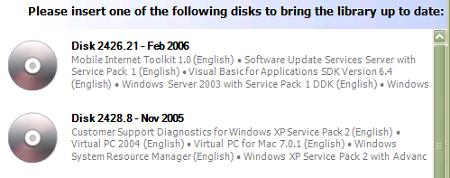
Consonica Software has a product they call the “Software Librarian for MSDN”. After a quick install, you tell the software what type of subscription you have, and what products you use, and then it tells you which discs to feed into the computer. Sometime later, everything you use is now copied to a hard drive. The monthly updates are a breeze, and no more fumbling around for discs. Watch the video demo.
Software Librarian

Disclaimer: Consonica sent me a copy of their software to use. I can honestly say I've found it works very well and saves time. In a partner setting, you typically have 5 MSDN licenses for every 1 set of physical media. In theory, this works well, but in practice, it works like this:

0:00 Decide to install SQL Server 2005
0:01 Start to rummage through 50 DVDs in the MSDN storage case
0:15 Check the DVD drive on dev machine #1
0:16 Check the DVD drive on dev laptop
0:17 Check the DVD drive on dev machine #2
0:18 Start an email rant about DVDs missing from the case
0:19 Remember you sent the same email last month
0:20 Copy last month’s rant into current email, press Send
0:23 Start SQL 2005 download from MSDN subscribers page
1:23 Download completes
1:23 Someone finds the SQL 2005 DVD in the break room

Check out Software Librarian, it does save some time.

posted by scott with 5 Comments

The Base Activity Library in Windows Workflow

The latest OdeToCode article covers the base activity library in Windows Workflow. We look at the activities to communicate with local and remote services, evaluate rules, listen for events, and every other activity that ships in the WF toolbox.

Read it here: Windows Workflow: The Base Activity Library

As always, I appreciated any feedback you can offer.

posted by scott with 4 Comments

The System.Exception to the Rule

Two weekends ago, I did presentations on ASP.NET master pages and Windows Workflow at the MAD Code Camp in Reston, Virginia. A bit of .NET trivia came up during the workflow session when we talked about fault handlers and the types of exceptions we can throw and catch in .NET.

Despite the fact that this code:

static void Main(string[] args)
{
    
throw "You've done sometihng wrong!";
}

.. results in a compiler error (The type caught or thrown must be derived from System.Exception), the CLR itself has no such restriction. I planned on doing some research and putting together a blog post, but Jason Bock did all of the hard work already. See “Throwing Exceptions That Are Not Exceptions” – full IL code included.

posted by scott with 0 Comments

This Post Has No Name

One of the hardest tasks in software is finding a good name. Names for variables, classes, libraries, and products requires countless mental cycles - as it should. Names are a serious business. In software, names bring imaginary things to life. Good names lead to readability, shared vocabularies, and emotional attachments. Bad names lead to confusion, pain, and assistance from highly paid consultants.

The Art of Naming Variables

Have you ever wondered how many hours the software world has spent inventing naming standards? You know the "prefix this" and "suffix that" and "start all of these with a capital C" documents. These standards are the perfect method for making Code look Consistent, but always include the rule "use logical and descriptive names". A naming standard is to good names as "use pronouns clearly" is to good grammar.

How to: Bastardize a Common Vocabulary

It's a shame Visual Basic uses keywords like MustInherit and Overridable. The rest of the world talks about abstract classes and virtual functions, but Visual Basic has to be different. They say it's because VB is geared to the developer who wants to add value to their business. Yet the developer who is typing "MustInherit" clearly isn't thinking about a business problem - they are thinking about a class hierarchy. Why shouldn't VB have the same vocabulary as the rest of the OOP world? Ever hear of a MustInherit factory pattern?

Every Time I Hear Your Name

For libraries and frameworks, the naming stakes get even higher. If the framework is going into widespread use, people will encounter the name in book titles, articles, power point slides, and technical conversations. People become attached to the name, as it covers many abstract and conceptual things. Witness the outcry over the Indigo to WCF switch, and the Avalon to WPF switch. Will Atlas stay Atlas, or will Atlas become the ASP.NET Client Side Integration Framework (ACSIF)?

The Name Game

Naming a product is the toughest assignment of all. We need to search trademarks and domain names. We need something that is snappy and looks good on a business card. The safe approach is just to make something up, like FlazBlatter. Someday, there will be a product named FlazBlatter, mark my words….

posted by scott with 10 Comments

The Mysteries Of System.Messaging

The majority of the .NET base class library feels clean and intuitive. Every so often though, you come across some oddballs. For instance…

Given a MessageQueue object named queue, what does the following code produce at compile time?

foreach (Message message in queue)
{
    
// ...
}

The code results in a warning:

'System.Messaging.MessageQueue.GetEnumerator()' is obsolete: 'This method returns a MessageEnumerator that implements RemoveCurrent family of methods incorrectly. Please use GetMessageEnumerator2 instead.'

Wow! Deprecating the GetEnumerator method is serious business. Using foreach is now out of the question.

The AcknowledgeTypes enum baffles me. There seems to be a lack of symmetry in the names. If we want an acknowledgment that a message has reached it's queue, we use the "PositiveArrival" flag, but if want an acknowledgment when a message doesn't arrive we use the "NotAcknowledgeReachQueue" flag. Arrival and reach are easy to distinguish from a receive, which means something successfully pulled the message from the queue, but what if we want to request an acknowledgement if something doesn't receive our message? There is the NotAcknowledgeReceive flag, which combines the NegativeReceive and the NotAcknowledgeReachQueue. Do you acknowledge all this? Negative! 

Finally, there seems to be too much of a good thing going on with asynch operations. I can call BeginReceive on a queue to start a receive, and pass a callback method, or I can subscribed to the ReceiveCompleted event and then call BeginReceive. In the ReceiveCompleted event handler I can call EndReceive manually (which feels good, because Begin and End calls should match), or use the Message property of the incoming RecieveCompletedEventArgs parameter and fetch the Message property (which calls EndReceive under the covers).

Choices, choices.

posted by scott with 2 Comments

No Love from Word

One of the features in Word 2007 Beta 2 is the ability to author blog posts. Joe Friend announced the feature, and there have been a number of follow up posts:
  Word Blog HTML
  Quality XHTML In Word 2007's blogging tool
  Word XHTML - Compliance and Styles

Authoring blog posts from Word is a great feature, but I hope Word 2007 will also include the ability to export any document into a clean, trim XHTML file. A tall order, I'm sure, but I'd take this feature over PDF export any day of the week (and twice on Sundays).

I tried to setup a blog account in Word 2007, but the following dialog popped up during configuration.

This dialog resisted every attempt at closing. I tried to enter good credentials and bad credentials. I clicked OK. I clicked Cancel. I tried Alt+F4. I clicked the big X. I clicked rapidly, and I clicked slowly. I said kind words, and bad words - but all for naught. The dialog remained front and center on my screen, like a bad movie. Like War of the Worlds, to be exact. I had no choice but to kill word.exe. Bummer.

Then I came back to my trusty copy of Word 2003, which, knowing its days are numbered must have been feeling spurned and emotional. Never before have I seen the dialog it presented.

Ok, I tried a newer version. Did it really have to insult my grammar?

posted by scott with 0 Comments

Part II of How To Screw Up HandleExternalEvent Activities in Windows Workflow

We left off in Part I with a contract, an event args class, and all the metadata we need to raise events to a workflow. As Captain Hazelwood once said, what could possibly go wrong?

Let's start with an implementation of our payment processing contract. The code has a subtle problem, and will cause an exception.

class PaymentProcessingService : IPaymentProcessingService
{
    
public void ProcessPayment(Guid id, double amount)
    {
        
// ... do some work work work
        
        
// ... then raise an event to let everyone know
        PaymentProcessedEventArgs args;
        args =
new PaymentProcessedEventArgs(id, amount);  
      
        
EventHandler<PaymentProcessedEventArgs> evh;
        evh = PaymentProcessed;
        
if (evh != null)
            evh(
this,  args); // boom!
    }

    
public event EventHandler<PaymentProcessedEventArgs>
        PaymentProcessed;
}

The exception is an EventDeliveryFailedException, and the Message property will read like "Event PaymentProcessed on interface type IPaymentProcessingService for instance ID [GUID] cannot be delivered". The message doesn't yield any obvious clues, and we need to dig deeper to find more information.

If we look at the InnerException property, we get closer to an answer. The inner exception is an InvalidOperationException with the Message of "EventArgs not serializable". This exception is a little confusing, because we did make our EventArgs serializable! Notice in the dialog below, the current exception ($exception in the 2005 debugger) is wrapping yet another inner exception, with the precise cause of failure.

Debugger watch window on serialization exception

The value of the message is curt off, but says "Type PaymentProcessingService is not marked as serializable". It appears every parameter going into the event must be serializable, including the sender parameter. We pass a this reference, which points to our payment processing service. The workflow instance doesn't actually need a reference to our payment service (if it needs to invoke a method on the service, it can use the CallExternalEventActivity), so we can fix this problem by leaving the sender parameter as null or Nothing.

EventHandler<PaymentProcessedEventArgs> evh;
evh = PaymentProcessed;
if (evh != null)
    evh(
null,  args);

If you are seeing an event delivery failure, drill into the inner exceptions to find the exact type causing the problem. You event args might contain an object graph with an non-serializable type inside.

Setting Up The Workflow Runtime

I did jump ahead just a bit, because before the event will even throw an exception we need to configure the workflow runtime to handle events from our service. We do this by layering the ExternalDataExchangeService into the workflow runtime. The ExternalDataExchangeService manages the host's local communication services, like our payment processing service.

WorkflowRuntime workflowRuntime = new WorkflowRuntime();

ExternalDataExchangeService dataExchangeService;
dataExchangeService =
new ExternalDataExchangeService();
workflowRuntime.AddService(dataExchangeService);

PaymentProcessingService paymentProcessing;
paymentProcessing =
new PaymentProcessingService();
dataExchangeService.AddService(paymentProcessing);

// ...

Here is a version of the above code with a bug that took me quite some time to track down.

PaymentProcessingService paymentProcessing;
paymentProcessing =
new PaymentProcessingService();
workflowRuntime.AddService(paymentProcessing);
// this is WRONG!

We have to add our service to the ExternalDataExchangeService, and not directly to the workflow runtime. My service would fire an event, but nothing would happen. Looking at the event in the debugger showed a null value, meaning nobody was subscribing to the event. It's the ExternalDataExchangeService that reflects on the incoming service, looking for metadata like the ExternalDataExchange attribute, and subscribing to events.

Summary

Raising events to a workflow can be finicky. If the events appear to fire into the empty vacuum of space, make sure the ExternalDataExchanceService and the local communications services are properly configured and added to the runtime. If the workflow runtime is throwing exceptions, the exception will most likely wrap the juicy details in its InnerException property (which in turn might have an InnerException). Hopefully, these two tips can save someone some time.

posted by scott with 7 Comments

Part I of “How To Screw Up HandleExternalEvent Activities in Windows Workflow”

In learning Windows Workflow with Beta 2.2, I’ve managed to foul up events in every possible way. Well, perhaps not every possible way, I’m sure I’ll find a few more techniques as time goes on. Here are some pointers for anyone else who runs into problems raising events with WF.

First, it helps to have a firm grasp of how events reach a workflow. Events are one of the mechanisms we can use to communicate with a workflow instance. An event can tell a workflow that something interesting has finally happened, like when a check arrives to pay the balance of a past due account.

Unlike the events we use in Windows Forms and ASP.NET, workflow events don’t travel directly from us to the event listener (in this case a workflow instance). A workflow instance lives inside the motherly embrace of the workflow runtime, and we have to follow a protocol before the runtime will let the workflow instance come out and play. This is partly because the workflow instance we want to notify might be sleeping in database table. We can’t have a workflow in memory for three months waiting for an account to close.

The first part of the protocol is defining a contract to describe the events and types involved.

[ExternalDataExchange]
public interface IPaymentProcessingService
{
    
event EventHandler<PaymentProcessedEventArgs> PaymentProcessed;
}

[
Serializable]
public class PaymentProcessedEventArgs : ExternalDataEventArgs
{
    
public PaymentProcessedEventArgs(Guid instanceId, double amount)
        :
base(instanceId)
    {
        _amount = amount;
    }

    
private double _amount;
    
public double Amount
    {
        
get { return _amount; }
        
set { _amount = value; }
    }   
}

Here we’ve defined an interface containing the event we want to raise, and the event arguments. The following features are important to note:

  • We’ve decorated the interface with the ExternalDataExchangeAttribute
  • The event args class derives from ExternalDataEventArgs
  • The event args class is serializable.

When we register our service implementation with WF, the runtime will look for interfaces with the ExternalDataExchangeAttribute, and throw an exception if it does not find any (InvalidOperationException: Service does not implement an interface with the ExternalDataExchange attribute). WF uses the attribute to know when to create proxy listeners for the events in a service. The proxies can catch events and then route them to the correct workflow instance, possibly re-hydrating the instance after a long slumber inside a database table.

If the event args class does not derive from ExternalDataEventArgs, we will see an error during compilation. Activities have the ability to validate themselves and ensure we’ve set all the properties they need to function correctly at runtime. We use the HandleExternalEventActivity activity to listen for events in a workflow. We need to specify the interface and event name that the activity will listen for. If we don’t derive from the correct class, the error will read: “validation failed: The event PaymentProcessed has to be of type EventHandler where T derives from ExternalDataEventArgs“ (I think they meant to say “of type EventHandler”).

Finally, everything passing through the event has to be serializable. If not, we’ll see runtime exceptions. We’ll look at this exception (and others) in part II.

posted by scott with 3 Comments

Branching and Merging Anti-Patterns

Chris Birmele has only posted once, but the document he authored is a good read. The document is a tool agnostic Branching and Merging primer. Excerpt:

Using branches provides better isolation and control of individual software assets and increases productivity because teams or individuals can work in parallel. But it also implies an increase of merge activities and therefore risk because branches have to be reassembled into a whole at some point in time.

Chris goes on to describe common branching strategies, and names some anti-patterns. Some of his anti-patterns that I’ve witnessed include:

Merge Paranoia - because the company spent a massive amount of money on configuration management tools and hired three full time consultants to increase the complexity of customize the software. Branching and merging became a hugely involved effort requiring magic incantations and chicken blood. The consultants all left, and everyone left behind fainted at the sight of blood.

Development Freeze - because the company didn’t have a robust tool, and everyone had to stop development to “make sure the merge goes through”.

Berlin Wall - because we didn’t like them, and they didn’t like us. Isn’t office politics fun?

posted by scott with 5 Comments